View an interaction’s evaluations
From an interaction’s detail page, click the Quality Summary tab to see evaluations associated with the interaction.
Note: Dates and times in quality management views do not currently appear in the standard format for the Arabic dialect. On a future date, Genesys Cloud will amend this limitation.
Click the image to enlarge. 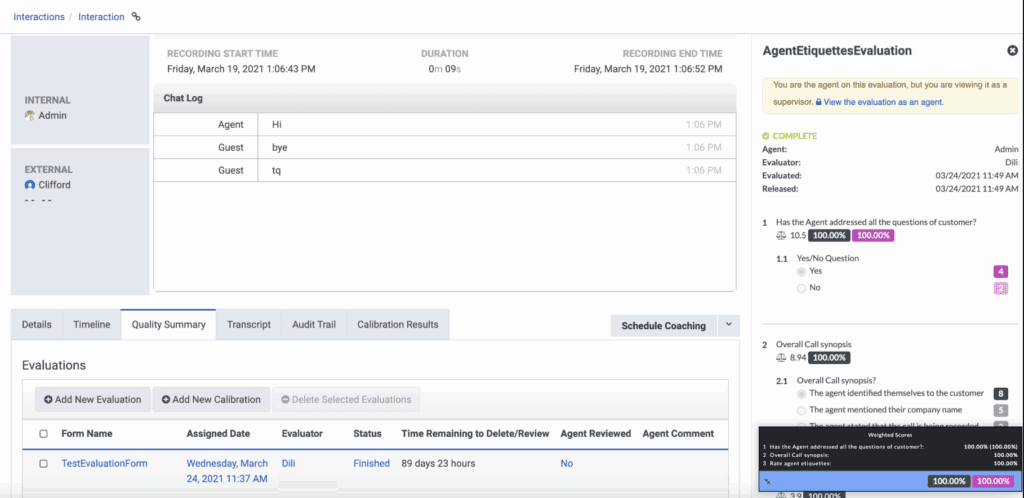
After choosing an evaluation, an evaluator can evaluate an interaction. You can also view the following information:
- The evaluation’s form name.
- The agent and evaluator.
- The date evaluation and release date.
- The evaluation’s status: Pending, In Progress, or Complete.
- The evaluation form questions and, if the evaluation is in progress or complete, the selected answers.
- The evaluation’s scores.
- Whether the agent has reviewed the evaluation.
If you are a manager or a supervisor, the view will also include the form’s version, which is shown as the last modified date and time.
[NEXT] Was this article helpful?
Get user feedback about articles.