View your clients
AI-generated summary
Genesys Cloud provides functionality to view and manage clients within the platform through a dedicated Clients section. To access this feature, users must meet specific prerequisites: possess a role with permissions for Affiliate Organization > Clients > View, External Contacts > External Organization > View, and Authorization > Org Trustee > View; be an authorized Genesys Cloud reseller or technology partner; have the Partner product enabled for the organization; and maintain authorization as a user in at least one Genesys Cloud organization. The Clients list is accessed by navigating to Menu > IT and Integrations > Clients from the main Genesys Cloud interface. This capability enables authorized partners and resellers to view their client organizations and manage client-related information within the platform.
- You must have a role with the following permissions:
- Affiliate Organization > Clients > View
- External Contacts > External Organization > View
- Authorization > Org Trustee > View
- You must be an authorized Genesys Cloud reseller or technology partner.
- The Genesys Cloud organization must have the Partner product enabled for the organization.
- You must be an authorized user in at least 1 Genesys Cloud organization.
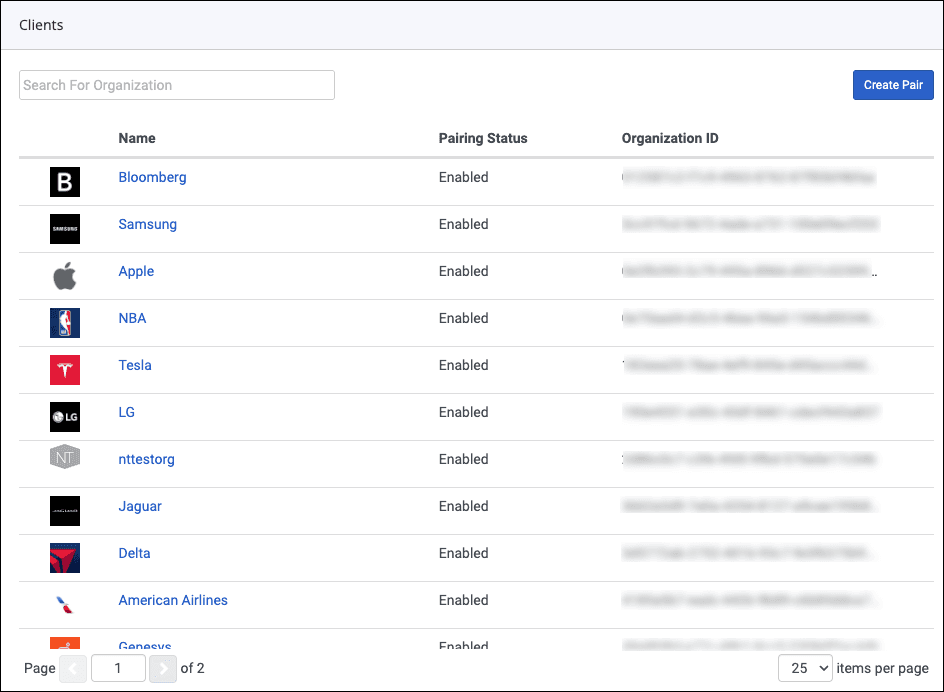
From the Genesys Cloud menu, click Clients.
In Genesys Cloud, navigate to Menu > IT and Integrations > Clients.
[NEXT] Was this article helpful?
Get user feedback about articles.