Record snippets in ACD calls
Administrators configure the snippet recordings in Genesys Cloud from Conversation Intelligence > Recording and Policies > Recording Management. For more information, see Manage recordings.
When handling an automatic call distribution (ACD) voice call in the embedded client, agents can start a snippet recording at any point during the call. This feature allows agents to capture an important portion of the interaction and stop the snippet recording when complete. An agent can create multiple snippet records on the same call and access those snippet recordings later.
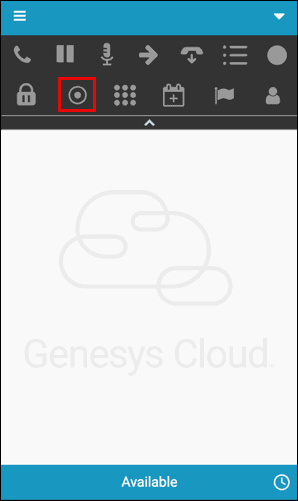
To record a snippet, click the Start Snippet Recording in the call controls. The call recording starts immediately. To stop the recording, click the icon again.
Snippet recording is automatically stopped when:
- The ACD call is on hold.
- Secure pause is enabled for the call.
- The agent leaves the call.
View and download recordings
To view and download your snippet recordings from Genesys Cloud, see Download a recording and Where are downloaded recordings located on my computer?.
[NEXT] Was this article helpful?
Get user feedback about articles.